


How "Auto-Reconnect" Redefines Wireless CarPlay Security
Insights & Technology | Why true wireless freedom doesn't just declutter the cockpit – it primarily reduces cognitive distraction while driving.
When drivers upgrade to wireless Apple CarPlay, the immediate benefits are obvious: a tidy dashboard, no cable clutter, and an interior that matches modern, minimalist design. However, the most important advantage of wireless use is not aesthetic – it's safety.
Physical cables represent a subtle but constant source of distraction. True wireless hardware fundamentally solves this problem with a single, seamless software architecture: Auto-Reconnect.
The Hidden Danger of Cable Disconnections
Every driver has experienced it: you drive through a small pothole or slightly shift your smartphone in the cup holder, and the CarPlay screen goes black. A worn charging cable or a loose connection at the port immediately interrupts the connection in the middle of the road.
The behavioral response to this is almost instantaneous and extremely dangerous. Drivers instinctively look down, wiggle the cable, or try to re-plug the phone while driving. Statistically, taking your eyes off the road for just two seconds at highway speed means traveling over 50 meters blind. By eliminating physical cables, you eliminate the biggest source of connection errors between your smartphone and your vehicle.
Safety Aspect: True automation means that technology should adapt to the driver, not the other way around. Wireless connectivity ensures that your once-established environment remains absolutely uninterrupted.
The Architecture of a Seamless Handshake
An optimized wireless adapter doesn't require manual pairing every time you get in. Instead, it relies on an instant, two-stage connection (handshake) that happens in the background, even before you put the car in gear:
- The Bluetooth Wake-Up: As you approach the vehicle, the adapter uses Low-Energy Bluetooth (BLE) to automatically detect and authenticate your iPhone.
- The Switch to 5 GHz WLAN: After verification, the connection seamlessly switches to high-bandwidth 5 GHz WLAN. This handles the data-intensive streaming required for lag-free navigation and high-resolution audio.
The entire process takes less than 7 to 10 seconds. By the time the engine is running and you're ready to pull out of the driveway, your maps, playlists, and contacts are already live on the center display.
Zero Friction: The Ottocast Performance Matrix
To achieve this level of uncompromising reliability, Ottocast hardware optimizes both connection speed and system stability, ensuring that the vehicle's original controls respond perfectly and without delay.
| Feature | The Benefit of Wireless Driving |
|---|---|
| Start-up Speed | 7–10 seconds for automatic initialization after vehicle start-up. |
| Transmission Protocol | High-speed 5 GHz WLAN guarantees lag-free real-time GPS tracking. |
| Control Integration | Full retention of factory steering wheel controls and Siri voice commands. |
| Hardware Form Factor | Ultra-compact industrial housing, designed to remain completely invisible. |
Keeping Your Eyes on the Road
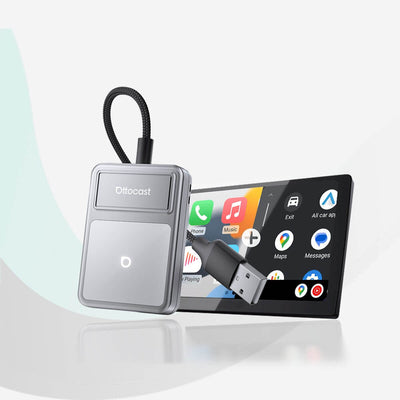
Upgrading to a dedicated wireless adapter like the Ottocast Mini Cube or the multifunctional Play2Video Ultra fundamentally changes the driving experience. Phone placement becomes irrelevant; it simply stays in your pocket, briefcase, or securely on a wireless charging pad.
By fully delegating the connection to automated software, you redirect your focus back to where it belongs: entirely on the road ahead.